The Spacera app
Apollo, on your phone.
Room health, morning Launch Checks and live alerts for every room you look after. When a room needs you, the alert arrives on your phone and opens the room it’s about.


Free for iPhone, iPad and Android. Sign in with your Apollo account.
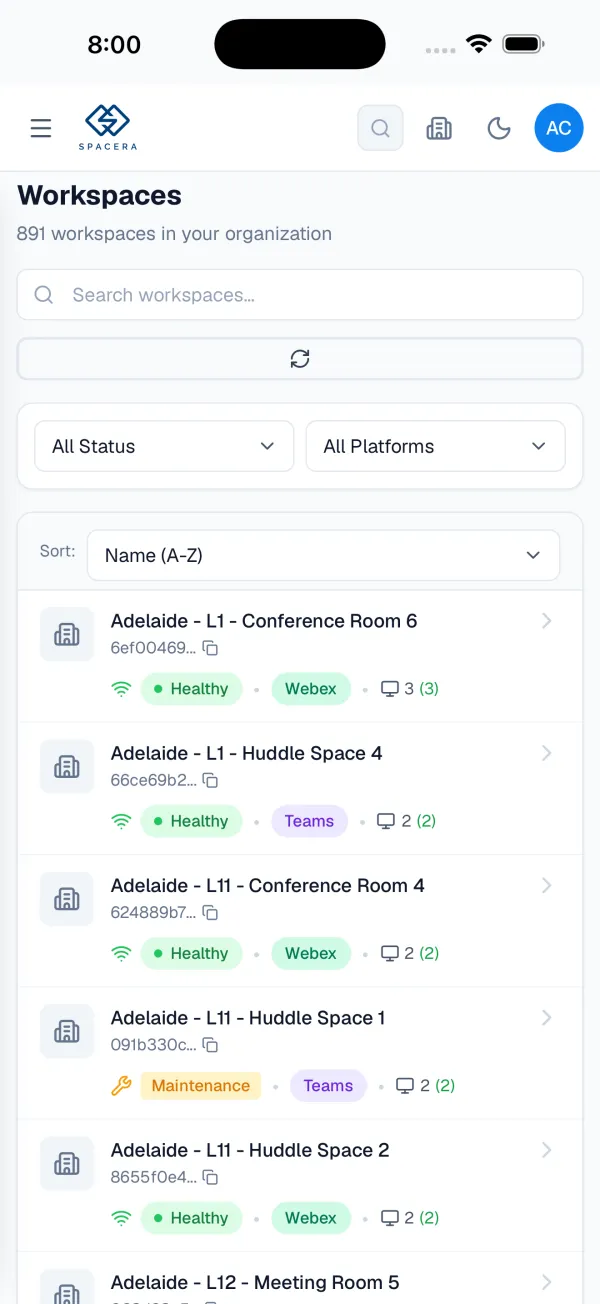
What you can do with it.
The parts of Apollo you need away from your desk, built for a phone rather than squeezed onto one.
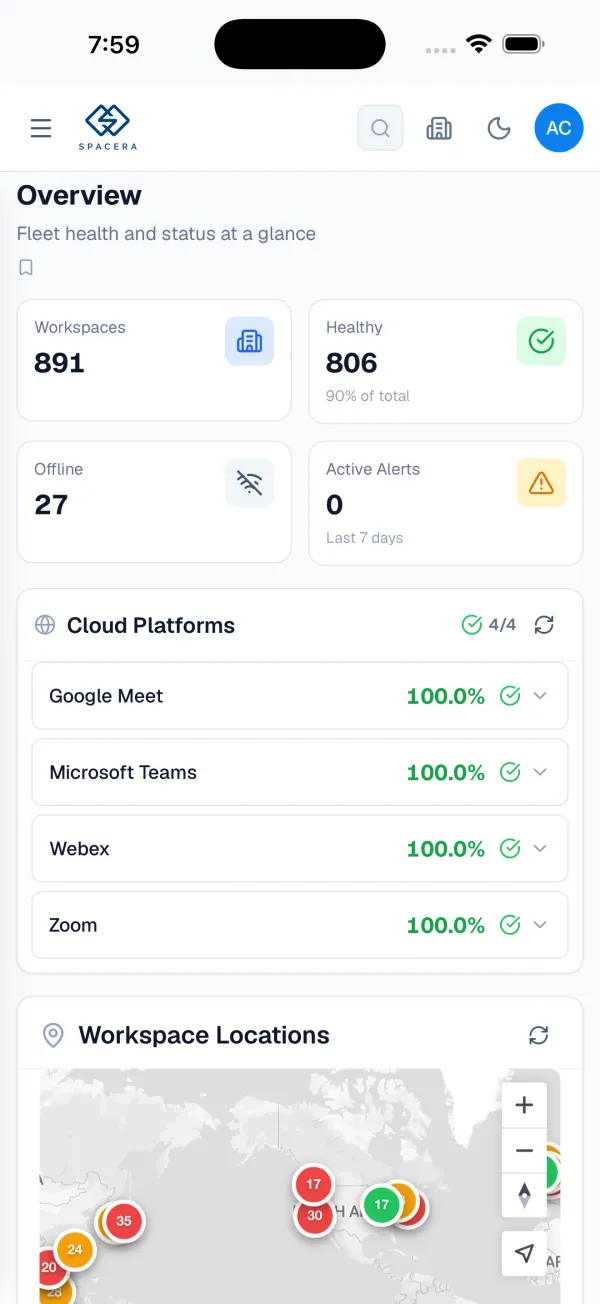
Every room at a glance
Healthy and offline rooms, active alerts, and whether Teams, Zoom, Webex and Google Meet are having a bad day of their own, across your whole fleet.
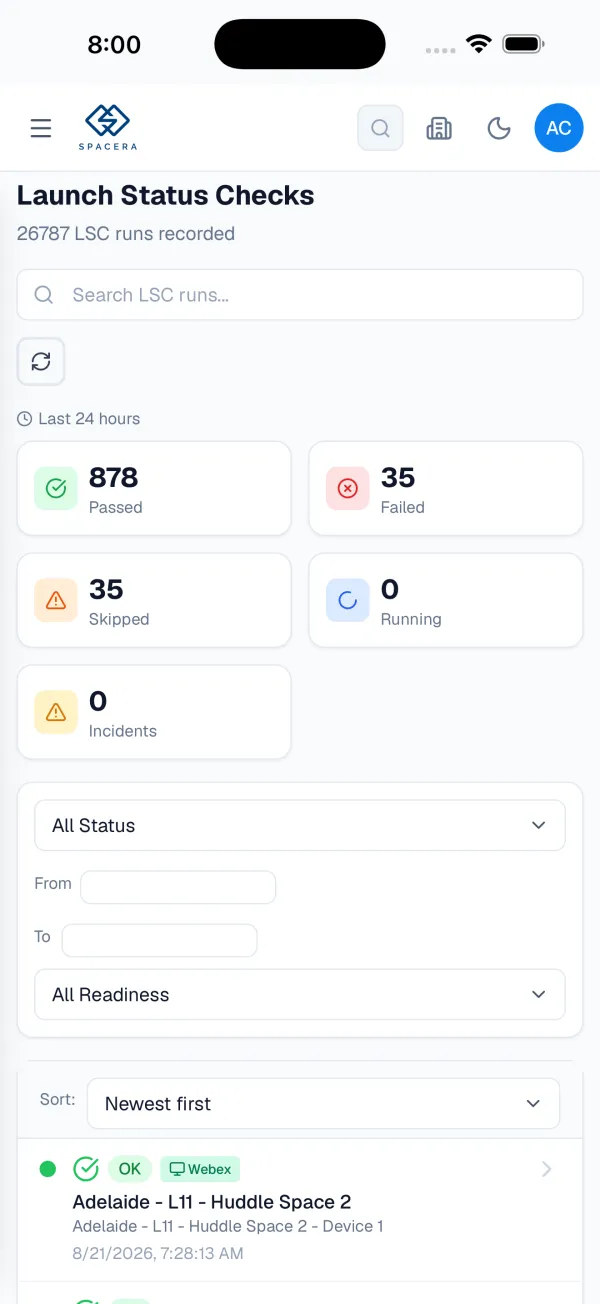
This morning's Launch Checks
See which rooms passed the morning test, which failed and why, before anyone walks in.
Alerts that open the room
Choose the events you care about and pause them whenever you like. Tap an alert and the app opens the room it's about.
Find any room or device
Search your rooms, then check every connected device and what it's reporting, from the corridor or the airport.
Nothing gets lost
Every alert also waits under the bell, in the app and in Apollo on the web, so a swiped-away notification is never gone.
Secure sign-in
Sign in with the Apollo account you already have, including Microsoft single sign-on. Works on company-managed phones.
Common questions.
Is the app free?
Yes. The app is free on the App Store and Google Play. What it shows follows your Apollo plan: every plan shows room and device health, and Mission Control and HyperCare add Launch Checks and push alerts.
Do I need a new account?
No. Sign in with the account you use for Apollo on the web, including Microsoft single sign-on. Not on Apollo yet? Start free on the web, then sign in on your phone.
How do alerts work?
Allow notifications when your phone asks, then choose the event types you want in Apollo's notification settings. Alerts arrive like any other notification and also appear under the bell in Apollo. Tap one to open the affected room.
Which phones and tablets does it support?
iPhone and iPad on iOS 15 or later. Android phones and tablets on Android 7.0 or later.
Can the whole team use it?
Yes. Anyone with an Apollo account can sign in, and each person picks their own alerts, so the on-call engineer and the IT director each see what matters to them.
Not on Apollo yet?
Start free with Photon on the web and see every room in minutes, then sign in on your phone.