Every Neat room,
healthy and ready.
Apollo, by Spacera, connects to Neat Pulse and watches every Neat Bar, Board, Pad and Frame in your fleet — device health, firmware, air quality and occupancy — then turns faults into tickets your team can act on. And with the SPACERA app for Neat Open, the room itself becomes the help button.
Neat Pulse tells you a device dropped off.
Apollo tells you what it means.
Neat hardware reports more than most rooms ever use. Apollo reads all of it, keeps the history, and puts every Neat room next to your Cisco, Poly and Logitech rooms in one fleet view.
Live device health from Neat Pulse
Connected or not, last seen, in-call status, controller mode and whether each device is running Zoom Rooms, Microsoft Teams Rooms or Neat OS. Disconnects and Teams sign-outs arrive from Neat Pulse the moment they happen.
Firmware currency, fleet-wide
Installed firmware against Neat's latest for every device, plus OTA channel and upgrade status — so you know which rooms are behind before the next release lands, not after.
Air quality and comfort
Temperature, humidity and CO₂ or VOC index straight from the sensors built into Neat hardware, with plain-language assessments people actually understand: fresh, stuffy, ventilate.
Occupancy and utilisation
Neat's people-count sensor feeds Apollo's Workplace Analytics: which rooms get used, when, and how full they get. Real occupancy, not booking data.
Launch Status Checks
For Neat rooms running Zoom Rooms or Microsoft Teams Rooms, Apollo runs a scheduled end-to-end test of the meeting kit and reports the verdict — on the dashboard, and on the SPACERA panel in the room.
Faults become tickets
A disconnect, a signed-out Teams account or a report from the room becomes a service request with the device's telemetry attached — in Spacera's desk or your own ServiceNow, Jira, Freshservice or BoldDesk.
Neat support, inside Apollo
Limited pilot: selected customers can check a device live, collect logs or restart it with its paired device. Confirm enabled actions and the required Pulse permissions with your partner before purchase.
Firmware update pilot
Selected pilot customers can request supported Neat firmware updates from Apollo. Explicit enablement and a supported read-write Pulse connection are required; confirm availability with your partner.
Configuration recovery pilot
Known good configuration and restoration are in a limited pilot. Confirm supported devices, permissions and enabled actions with your partner before purchase.
Put the help button on the glass.
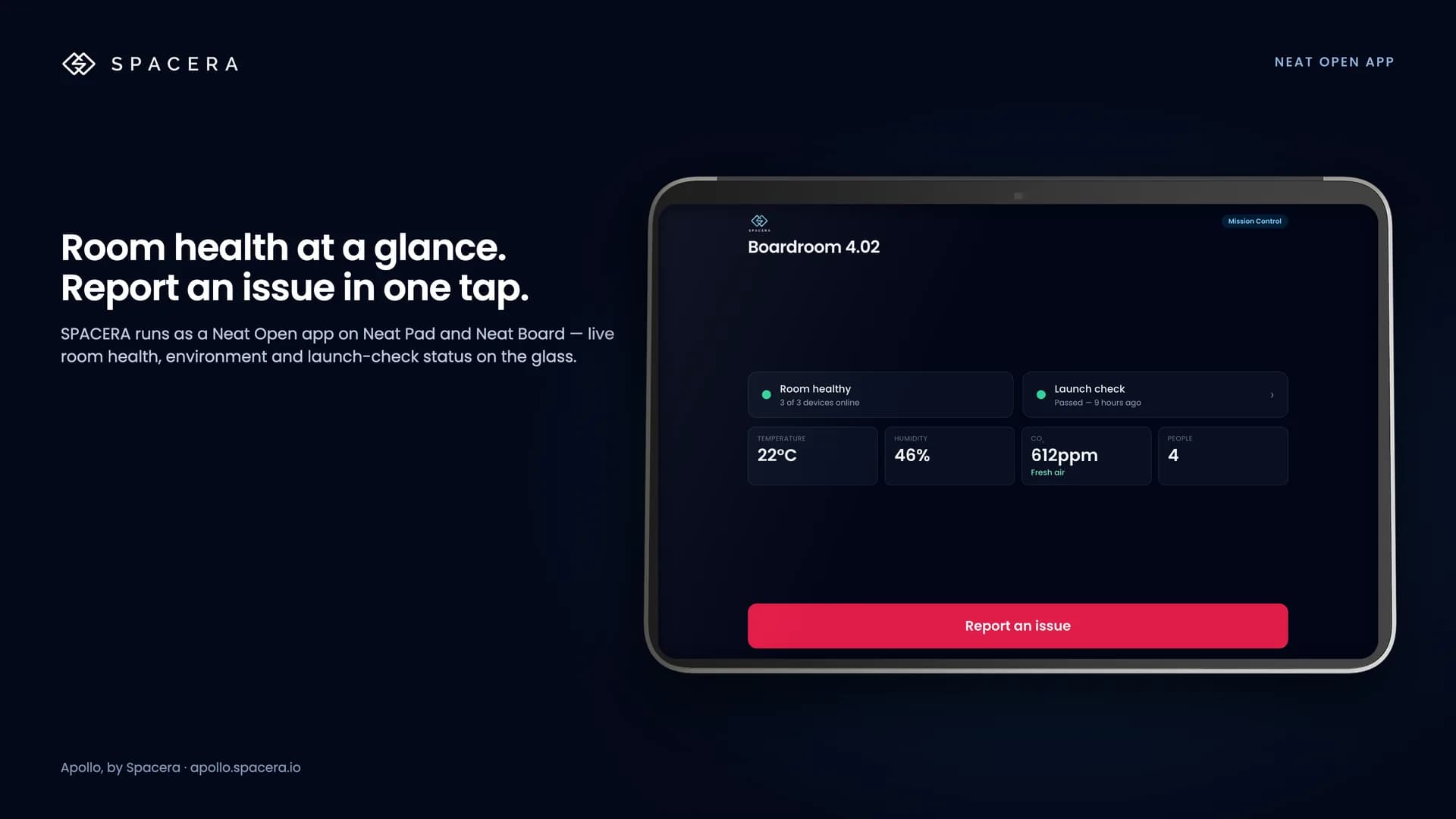
SPACERA runs as a Neat Open app on Neat Pad, Pad Pro and Board 50. It shows the room its own health, and gives anyone who walks in a one-tap way to get help — no IT call, no email chain.
60-second walkthrough on a Neat Pad Pro
- ✓Room health at a glance — devices online, launch-check verdict, temperature, humidity and CO₂
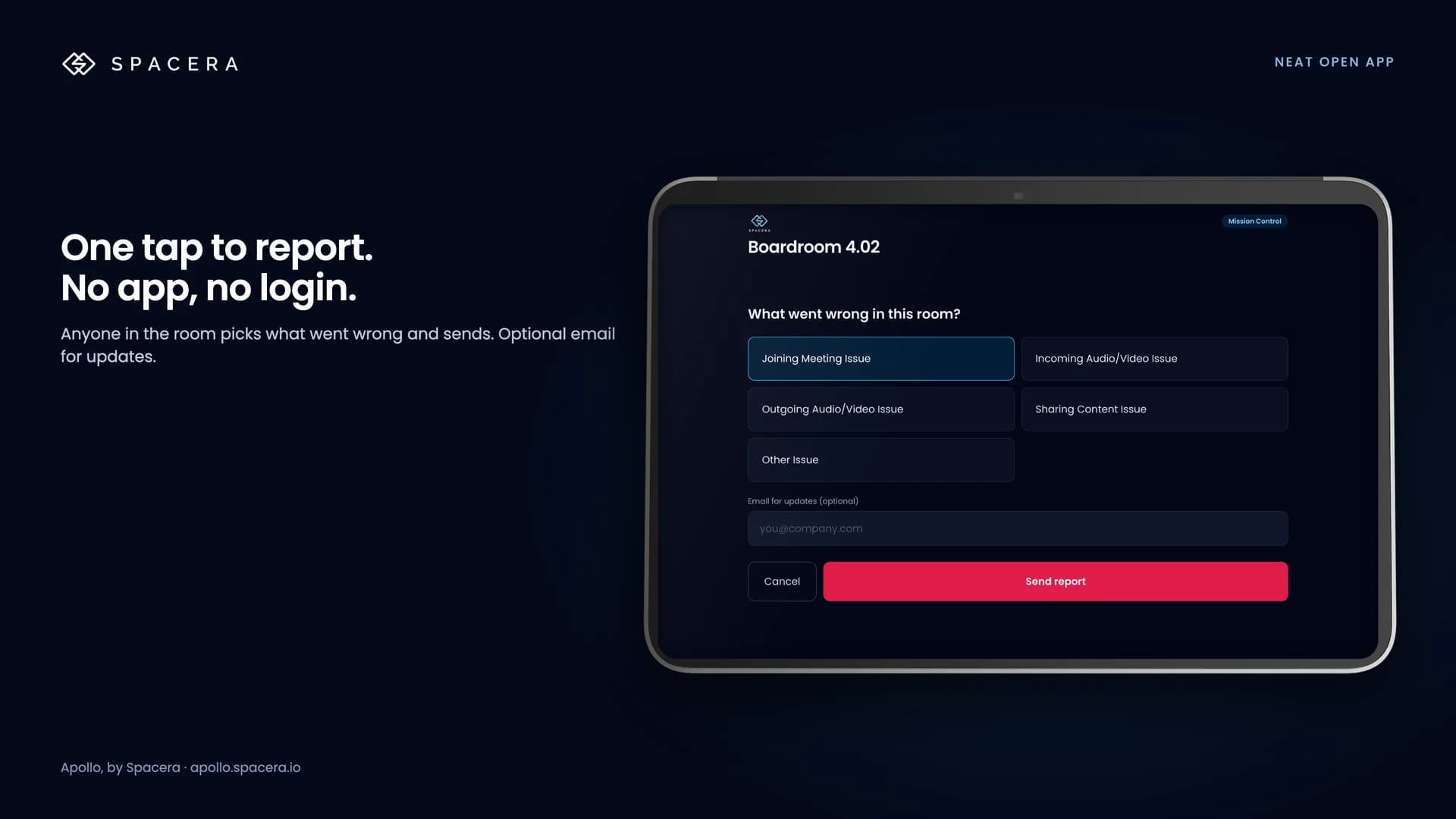
- ✓Report an issue in one tap: pick what went wrong, send. No app to install, no login
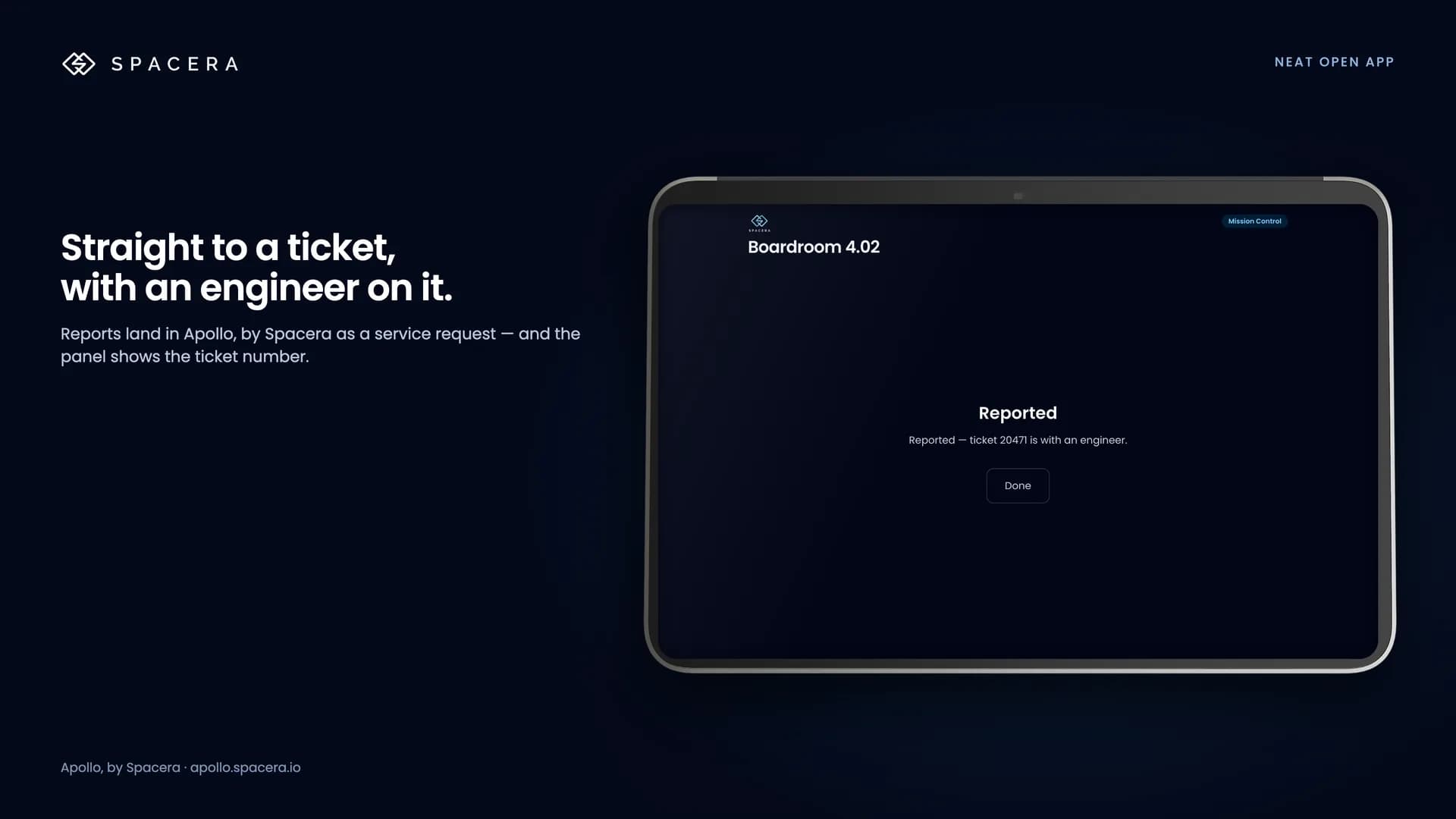
- ✓The report lands in Apollo as a service request and the panel shows the ticket number
- ✓Already reported? The panel says so, and the next person doesn't raise it again
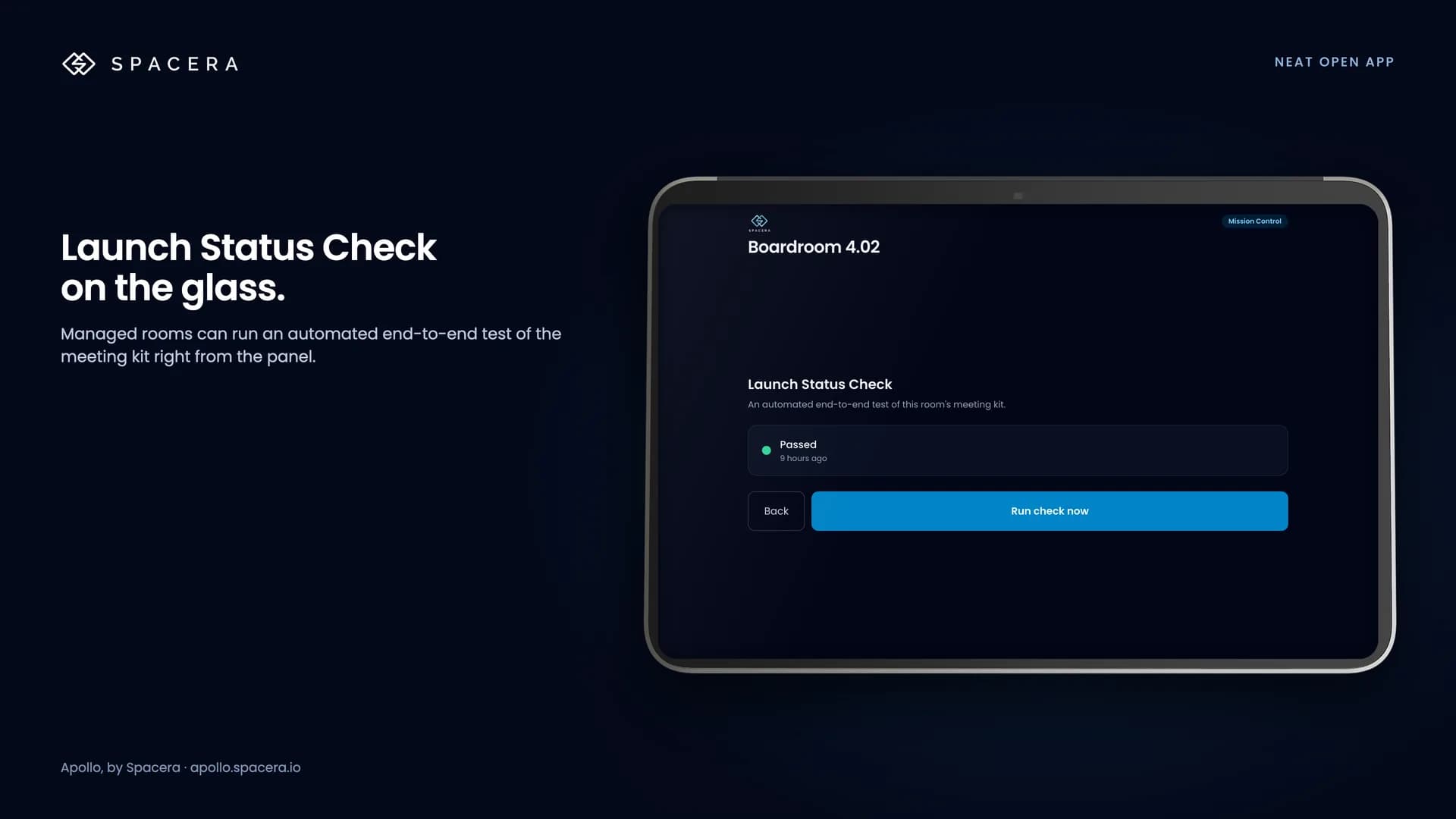
- ✓Managed rooms can run a Launch Status Check from the glass
- ✓Pairs in seconds: add SPACERA as a custom web app in Neat Pulse, enter the code from Apollo
Connected in minutes. Nothing on the devices.
Create a read-scope API key in Neat Pulse
A Neat Pulse owner goes to Settings → API keys and creates a key with Read scope. Nothing changes on the devices. Remote actions additionally require pilot approval and a separate Write-scope key.
Register your Neat organisation in Apollo
Enter the organisation ID and key. Every Neat room and device appears in Apollo automatically — names, models, serials, firmware, mode.
Optional: put SPACERA on the glass
Add SPACERA as a custom web app in Neat Pulse, open the room in Apollo and enter the pairing code shown on the panel. One panel covers the whole room.
Anything enrolled in Neat Pulse.
Monitoring covers every device in Pulse. The SPACERA app runs on Neat Pad, Pad Pro and Board 50 in Neat Open mode.
Zoom Rooms, Teams Rooms or Neat OS.
A Neat room can run Zoom Rooms, Microsoft Teams Rooms or Neat's own OS. Apollo works out which platform each device is on and reads the right telemetry — so a Neat Bar in a Teams room is judged by Teams health, a Neat Board in a Zoom room by Zoom health, and the Neat OS estate by Pulse alone. One fleet view, no double counting.
Start free. Pay only for reliability.
Visibility for every Neat room is free, forever.
Every Neat room on one screen. Know what's disconnected before anyone tells you.
- ✓Neat fleet dashboard
- ✓Real-time device health & firmware
- ✓Alert feed
- ✓SPACERA app: one-tap reporting by email
Sensors, launch checks and tickets. Rooms are checked before anyone walks in.
- ✓Everything in Photon
- ✓Environment & occupancy analytics
- ✓Launch Status Checks (Zoom & Teams rooms)
- ✓ITSM auto-ticketing
- ✓Device actions pilot — confirm availability separately
- ✓SPACERA app: full panel with tickets on the glass
Full managed service for your Neat estate. We take the 3AM call.
- ✓Everything in Mission Control
- ✓24×7 service desk (L1–L3)
- ✓Firmware & software management
- ✓Preventative maintenance
- ✓SLA governance & QBR
The things Neat customers ask first.
Does Apollo install anything on our Neat devices?
No. Apollo reads from Neat Pulse with an API key scoped to Read. Remote actions are in a limited pilot for selected Mission Control and HyperCare customers and require explicit enablement plus a second key with Write scope. Confirm supported actions with your partner before purchase. The SPACERA app is optional too, and it is a web app you enable in Neat Pulse — nothing is side-loaded.
Which Neat Pulse plan do we need?
Neat Pulse API access, which comes with Pulse Plus and Pro. Custom web apps (for the SPACERA panel) are also a Plus and Pro feature.
Our Neat rooms run Zoom Rooms and Microsoft Teams Rooms. Does that matter?
Apollo works out which platform each device is running and reads the right telemetry for it. Zoom and Teams rooms also get Launch Status Checks. Rooms in Neat OS mode are monitored the same way and can run the SPACERA panel.
What happens when Neat changes its network or firewall requirements?
Apollo tracks Neat Pulse's connectivity requirements and shows an advisory to every admin with Neat devices, with the exact domains to allow — before devices start dropping off.
Where does the data live?
Apollo uses Microsoft Azure. EU, UAE and US telemetry regions are planned, not generally available; confirm the available region and your residency requirements with us before onboarding. See the Trust Center for the full picture.
Security details: spacera.io/security · Support: support@spacera.io
Your Neat rooms already know what's wrong.
Let them tell you.
Photon is free. Connect Neat Pulse in minutes and see every Neat room — and what it's reporting — before your users do.